hidmahidma

What's new in hidma

The latest features and improvements to hidma, and how they help your firm. Subscribe to get updates by email.

Oct 19, 2026

In-app API access, export details, and deadline placeholders

Release 3.0.1 πŸ”Œ hidma API API Access Managed from Within hidma: API access can now be set up and controlled directly inside the application - there is no longer any need to contact our support team to get started. Create and manage your API credentials (Client ID & Secret), define the access permissions for each integration, and revoke access at any time, all from one place. The API remains in beta, so if you would like a copy of the API documentation or help with your first integration, our support team is happy to assist.Read the hidma API article on our knowledge base to learn more. πŸ“Š Reporting & Exports Export Parameters Listed in Every File: All CSV and Excel exports now include the parameters used to generate them - such as the date range, selected teams or users, and any other filters applied - listed at the top of the exported file. This makes it clear at a glance what each export contains, which is particularly useful when sharing files with colleagues or returning to an export at a later date. πŸ“… Deadlines Placeholders in Recurring Deadlines: Recurring deadlines now support placeholders in the same way as recurring projects and recurring bills. Add a placeholder for the period, month, or year to the deadline name, and each occurrence generated by the recurring schedule will be filled in automatically with the correct values - for example, a quarterly VAT return deadline will carry the relevant quarter and year in its name. This removes the need to rename deadlines by hand and keeps naming consistent across all of your clients. ⭐ Enjoying hidma? If hidma has helped your firm, we would be grateful if you could spend a few minutes writing a review on G2. It helps other firms find us. Leave a review

How do you feel about this update?

Tap a face to rate
FeatureOct 12, 2026

Deadlines, team and firm dashboards, and the hidma API

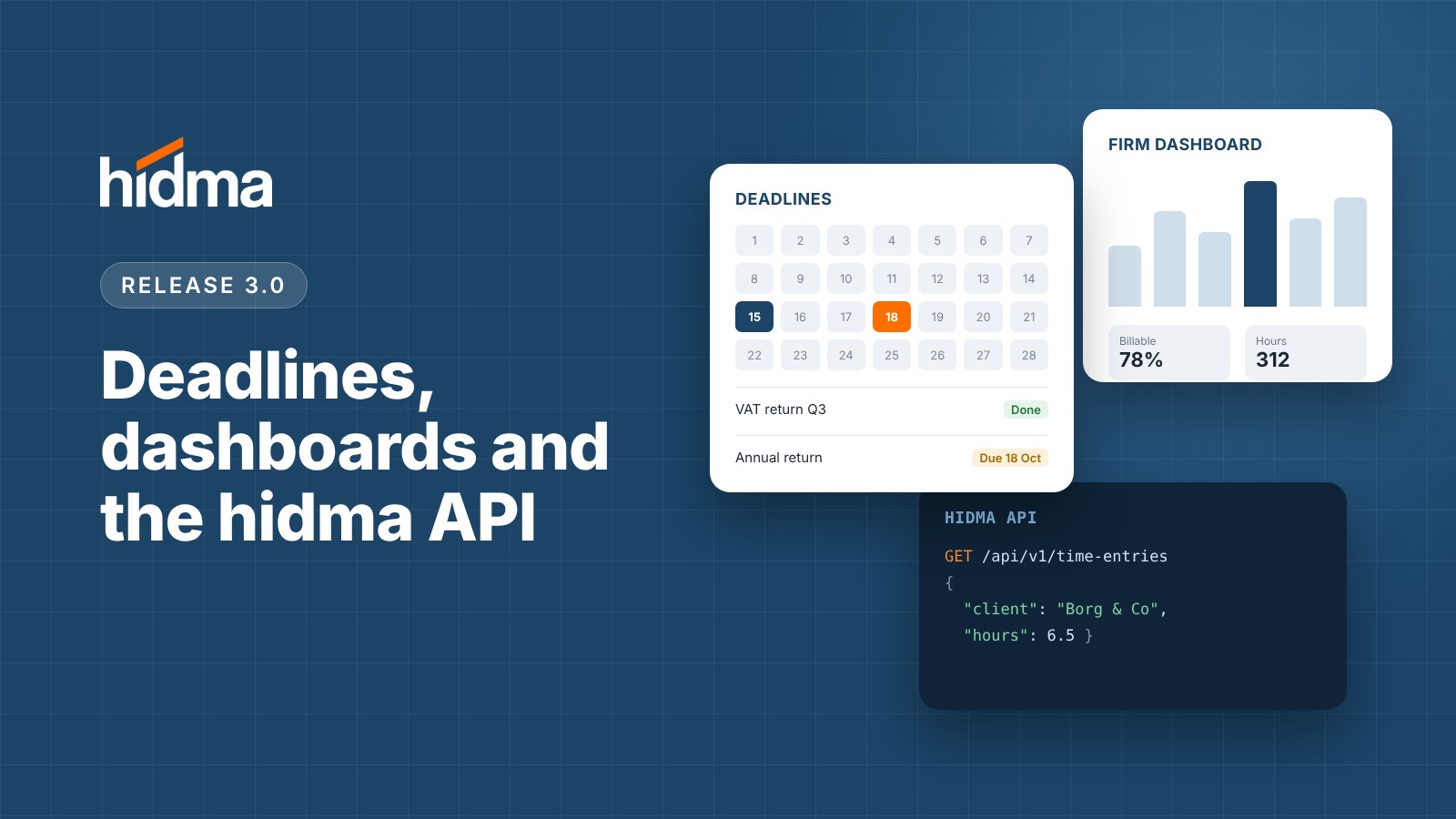
Release 3.0.0 πŸŽ‰ πŸš€ New Features πŸ“… Deadlines hidma now tracks critical compliance and operational dates - such as VAT returns, annual filings, and statutory tax deadlines. This marks our first major step toward comprehensive practice management inside hidma. Centralised Deadline Management: Access Deadlines from the main navigation to view your schedule in a list or calendar format. Easily search and filter by client, project, team, or firm-wide scope across custom date ranges. Flexible Scope & Assignments: Assign deadlines to a specific client, project, team, individual user, or the entire firm - with clear accountability delegated to responsible teams. Batch Creation & Grouping: Select multiple clients or an entire Client Group to generate deadlines in bulk. Grouped deadlines stay linked, allowing you to update the entire batch at once or modify an individual client's deadline separately. Automated Recurrence: Set recurring schedules (e.g., annually) so future deadlines are generated automatically without manual input. Seamless Client Onboarding: Instantly copy existing deadline templates to new clients, automatically enrolling them into the relevant deadline group. Completion & Waive Workflow: Mark multiple deadlines as completed in bulk. If a deadline is no longer required (e.g., offboarded client), you can mark it as Waived with an accompanying reason recorded in its permanent audit history. Customisable Reminders: Receive weekly or daily summary emails highlighting upcoming and overdue deadlines. In-app alerts can also be configured for deadlines due within 1, 2, or 3 weeks (Profile β†’ Notification Settings β†’ Deadlines). Integrated Dashboards: Relevant deadlines now appear directly on Client and Project dashboards, as well as on your personal and team summary dashboards. πŸ“Ή Watch the Deadlines walkthrough video for a full demonstration. πŸ“Š Team & Firm Dashboards The Dashboard view has been upgraded with up to three dedicated tabs based on your role and permissions: My Dashboard: Focus on your personal hours, productivity metrics, and individual deadlines. My Team: Designed for team managers to track total billable hours against capacity, analyse the breakdown between billable, internal, and personal time, and evaluate individual team member performance (billable percentage and effective hourly rates) across weekly, monthly, quarterly, or annual views. Entire Firm: Tailored for partners and directors. Access macro-level KPIs including billable utilization against target, recovery rates, effective hourly rates, Work in Progress (WIP) breakdown (including aged WIP > 60 days), and overall gross margins - with period-over-period trend comparisons. Interactive Financial Insights: Granular charts illustrate weekly utilization trends, hours by team and role, target vs. actual per team member, WIP age distribution, and client profitability. Toggle on "Show the numbers behind each chart" to review the raw data driving each visualization. πŸ“Ή Watch the Dashboards walkthrough video for a guided overview. πŸ“ˆ Realisation Reporting & Analytics We’ve introduced two new reports in the Reports section to give you complete visibility into billing efficiency, write-downs, and rate recovery across your firm: Realisation Rate Report: Analyse how much of the standard value of your billed time was actually invoiced, aggregated by team. Expand any team row to view individual user contributions, or switch the toggle to view users directly. Key Metrics Included: Recorded hours, billed hours, unbilled hours, standard value of billed time, actual amount billed, total write-downs, and overall Realisation %. Filtering & Exports: Filter by custom date ranges, teams, or individual users, and export the full dataset to CSV or Excel. Detailed Realisation (Billing) Report: Drill down into project-level performance for every team member. Group project allocations under individual users or switch to a flat project list for quick scanning. Additional Filters: Filter by Client Type, Client, and Project in addition to standard date and user filters. Read a more detailed explanation of realisation rates in this article on our knowledge base. πŸ”Œ hidma API (Beta) Connect hidma directly to your custom internal tools, reporting suites, and automated workflows. Firm-Level Authentication: API integrations are established at the firm level rather than tying to individual user credentials, ensuring persistent uptime regardless of team changes. Granular Scoping: Manage API credentials (Client ID & Secret) and define precise access permissions per integration. Access tokens strictly enforce a 1-hour expiration window for enhanced security. Note: The API is in beta and can’t be set up from the app yet. Contact our support team to set it up and get the API documentation. ⚑ Improvements & Enhancements ⌨️ User Experience Global Quick Add (A): Press A on your keyboard to instantly create a new record (such as a deadline) on almost any screen without using the mouse. πŸ’° Billing Billed Projects On Hold: You can now duplicate/copy a bill directly to a project with an "On Hold" status. Previously, target projects were required to be active. ⭐ Enjoying hidma? If hidma has helped your firm, we would be grateful if you could spend a few minutes writing a review on G2. It helps other firms find us. Leave a review

How do you feel about this update?

Tap a face to rate
Sep 23, 2026

Release 2.9.2

πŸ“Š Reporting & Exports Export to Excel Across the Platform: Any view or report in Hidma that offers CSV export can now be exported directly to Microsoft Excel (.xlsx). While the underlying data remains identical, Excel exports come pre-formatted as clean, structured tables for easier analysis and filtering. Export Project Templates: You can now export your full list of Project Templates directly from the Project Templates page. Work in Progress (WIP) Report Cost Split: The Work in Progress report now breaks down your total WIP cost into two distinct categories: Unbilled Hours Cost and Unbilled Charges Cost - giving you clearer visibility into your unbilled pipeline.

How do you feel about this update?

Tap a face to rate
Sep 9, 2026

Release 2.9.1

πŸ“Š New Report: Detailed Hours by Team We’ve added a new Detailed Hours by Team report to the Reports section! Building on the summary view of the Hours by Team report, this detailed version allows you to expand any user's row to view an itemised breakdown of hours logged across individual projects. We'd Love Your Feedback! Try out the new updates and let us know how they improve your daily workflow. If you have any questions, our support team is always here to help.

How do you feel about this update?

Tap a face to rate
ImprovementSep 7, 2026

Release 2.9.0

πŸš€ What’s New in This Release ⚑ Improvements & Enhancements πŸ“‹ Projects & Templates Expanded Change History: Audit logs and change history have now been extended to Project Templates, Recurring Projects, and Recurring Bills, giving you full visibility over template and schedule modifications. Copy Projects & Recurring Projects: You can now duplicate both standard and recurring projects. When copying, you can selectively choose which configuration items and settings to clone. You can also convert a standard Project into a Recurring Project (or vice versa) directly during the copy flow. Smart Item Propagation for Recurring Projects: Bills, recurring bills, and charges can now be added or modified on active recurring projects: Updates to existing items will apply only to future, ungenerated project instances. Adding new bills, recurring bills, or charges will prompt you to choose which existing, already-generated instances should also receive these updates. Streamlined Project Creation & Editing: Experience clearer, more actionable error messages when creating or editing projects. The updated validation highlights specific issues inline so you can resolve them instantly. Batch Deactivate Recurring Projects: Easily manage recurring projects in bulk from the summary page. Select the target recurring projects, click the Status (traffic lights) icon, and update their active status in one click. Client Dashboard Updates: Recurring projects are now easier to locate! You can view all active recurrence schedules directly from a client’s dashboard under the new Recurring Projects tab. πŸ’° Billing & Communication Additional Billing Contacts (Xero Integration): Client contacts now feature an "Include in Email Communications" flag. This syncs directly with Xero’s contact settings to ensure secondary contacts automatically receive emailed invoices and billing correspondence. πŸ”” Notifications Recurring Project Generation Alerts: You can now customize notifications triggered when new recurring project instances are generated. Manage your preferences under Settings β†’ Notifications β†’ Projects β†’ Recurring Projects. πŸ’¬ We'd Love Your Feedback! Try out the new updates and let us know how they improve your daily workflow. If you have any questions, our support team is always here to help.

How do you feel about this update?

Tap a face to rate
Aug 29, 2026

Release 2.8.0

πŸš€ New Features Change History & Activity Logs: Full audit history is now live across key areas of the platform! You can now view a log of all changes made to Clients, Client Groups, Projects, and Users directly from their respective dashboards. Detailed change history is also available when viewing individual Bills. (Note: Activity logs will be rolling out to additional platform areas soon!) ⚑ Improvements & Enhancements πŸ’° Billing & Invoicing Export Time Entry Details to Xero: You can now push time associated with bill rows directly to Xero when syncing invoices. How to enable: Navigate to Settings β†’ Integrations β†’ Xero β†’ Settings for Xero and toggle on Copy time in bills to Xero. Ensure time is visible on your bills. Set this globally under Settings β†’ Configuration β†’ Bill Details (select Minutes), or toggle it on an individual bill via More Options β†’ Show Time. Dynamic Default Due Dates: When setting up Recurring Bills, Bill Templates, or Recurring Bill Templates, you can now select Default Due Date instead of a fixed date. Generated bills will automatically inherit your organisation's configured due date settings- keeping all future billing aligned effortlessly. Mismatched Organisation Warning: If you use the Default Organisation setting on project templates, the platform will now display a friendly warning if you try adding projects from different organizations onto a single bill. While not blocked, this ensures multi-tenant or multi-entity billing mistakes are caught early. πŸ“‹ Projects & Workflows Expanded Project Templates: Project Templates now support defining Bills, Recurring Bills, and Charges at the creation stage. You can also specify a Default Team, which automatically assigns the right team members whenever a template is selected. Fixed Batch Recurring Projects: Resolved an issue where generating recurring projects across multiple clients simultaneously failed to process correctly. ⏱️ Timesheets Reopen Comments & Notifications: When managers revert a timesheet, they can now include an optional comment explaining why it was reopened. The user will automatically receive an in-app and email notification containing the feedback. Notification controls for this feature can be managed under Settings β†’ Notifications β†’ Timesheets β†’ Timesheet Re-activated. πŸ’¬ We'd Love Your Feedback! Try out the new updates and let us know how they improve your daily workflow. If you have any questions, our support team is always here to help.

How do you feel about this update?

Tap a face to rate
Aug 11, 2026

Release 2.7.0

New Features πŸ”„ Recurring Projects Recurring projects are officially here! You can now generate automated recurrence schemes for projects - whether setting them up for a single client or creating them in bulk. Dynamic Placeholders: Easily add custom placeholders for project names and project codes (if manual or customized codes are enabled). Watch it in action: Check out the detailed walkthrough video with Alex! πŸ’³ Add Bills, Recurring Bills, & Charges at Project Creation Set up your project finances right from day one. You can now define Bills, Recurring Bills, and Charges directly during project creation - available for both single and batch setups. Template Support: Full support for Bill and Recurring Bill templates. Ideal for Fixed Fee & Upfront Billing: Streamlines setup for predictable billing structures. Watch it in action: Check out our instructional video! πŸ“ˆ Improvements πŸ“‹ Extended Project Templates (Including Default Teams) Project templates are now far more powerful. You can pre-select any field attributable to a project - including budgets, budget notification triggers, and default team assignments. Coming Soon: In the next release, you'll also be able to add bills, charges, and recurring bills directly within project templates! πŸ“Š Billable Utilization Report A brand-new report is now live in the Reports section! Track billable utilization with clear breakdowns per team and per user to keep your team’s capacity optimized. This report will adopt the annual business hours goal in each user's profile in order to calculate the targets for each user and team. Users which do not have an annual business hours goal specified can be excluded from the report by switching on the Exclude non-fee-earners option at the top of the report. πŸ’° Updated Project Cost Summary The project cost summary on the project dashboard has received a major upgrade. Deeper Financial Details: View time, cost, entry-level details, chargeable amounts, and total billed amounts at a glance. Flexible Views & Exports: Group your summary view by User or by Job, and export the data to CSV anytime. Granular Permissions: Manage access to these detailed metrics under Settings -> Roles & Permissions. 🧾 Charge Rows in Recurring Bills Recurring bills now support custom charge rows. You can automatically apply recurring charges or discounts (including percentage-based calculations) directly within a bill schedule. Watch it in action: Here is a detailed walkthrough of this new improvement. πŸ“‹ Smart Charge Copying on Bills When copying a bill containing charges, you’ll now be prompted to choose whether to replicate and recreate those corresponding charges or to simply copy over the line items from the original bill. πŸ“‹ Duplicate Recurring Bills You can now copy and duplicate existing Recurring Bills to speed up recurring workflow setups. πŸšͺ Close Projects Directly from the Billing Page No need to navigate away - you can now close off any in-scope project directly while viewing or editing a bill. Just click the More Options icon and select this option in the context menu. πŸ”— Improved Error Handling for Xero Mapping Mapping clients to Xero is now smoother and more transparent. Issues like duplicate client names (especially across multiple tenants) or pre-existing client mappings are now flagged instantly upon saving, complete with guided options to resolve them. ⚠️ Missing Rate Visibility Across All Reports Never let unassigned rates skew your reporting again. All reports showing cost or chargeable amounts now feature visual indicators alerting you to missing rates - and these flags carry over into CSV exports as dedicated warning columns. πŸ› Bug Fixes Revenue by Project Report: Fixed an issue where credit note amounts were displaying incorrectly. Credit notes now properly reflect their accurate values and align with the corresponding Xero account codes. πŸ’¬ We'd Love Your Feedback! Try out the new updates and let us know how they improve your daily workflow. If you have any questions, our support team is always here to help.

How do you feel about this update?

Tap a face to rate
FeatureJul 9, 2026

Release 2.6.0

πŸš€ New Features Bill Templates & Recurring Bill Templates: You can now create and utilize Bill Templates and Recurring Bill Templates. This feature significantly reduces the time required to generate invoices while ensuring absolute consistency across your billing workflows. Watch the detailed walkthrough by Alex here. πŸ“ˆ Improvements Billing - Flexible Project Management on Bills: We have introduced complete flexibility when adding or removing projects from bills. Previously, only projects with unbilled work could be added. Now, you can add any project to any bill or recurring bill. Assigning different projects to individual line items is now seamless, particularly when no time or charges have been allocated yet. Watch a quick demo clip. Billing - Multi-Project Support for Recurring Bills: Recurring bills now support multiple projects simultaneously. You can also specify exactly which line items are assigned to which projects within these bills and it is also possible assign different time allocation settings for each individual project associated with a recurring bill. Xero Integration - Enhanced Daily Digest: The Xero daily digest now automatically reflects status updates for any invoices that have been modified or updated. Billing - Per-Bill Time Entry Customization: You can now change how time is added to a specific bill without affecting your organization-wide settings. Simply click the More Options button inside a bill and select your preferred entry method. Projects - Bulk Project Creation: Creating project batches across your entire client base is now much easier using the new All Clients option. Additionally, project batches are now queued in the background, allowing you to keep working uninterrupted. A progress indicator will notify you as soon as the batch creation is complete. Files - Cleaner File Tables: You can now hide file descriptions within file tables, providing a cleaner layout that makes file names easier to read. ⚠️ Deprecations Billing - Project-Grouped Bill Themes: The Bill Theme setting that allowed grouping bill rows by project has been deprecated. With our new support for heading rows, you can easily replicate this layout manually without the added complexity of automated grouping-especially for bills where rows span multiple projects. πŸ› οΈ Fixes Timers - Internal Task Tracking: Timers can now be used to track internal tasks. Simply select the Internal option from the project dropdown and choose the specific job you want to track. This functionality has also been fully extended to your Favorite Timers. πŸ’¬ We'd Love Your Feedback! Try out the new updates and let us know how they improve your daily workflow. If you have any questions, our support team is always here to help.

How do you feel about this update?

Tap a face to rate
FeatureJun 22, 2026

Release 2.5.0

🌟 New Features ⏱️ Continuous Time Tracking Time tracking is now seamless and available wherever you are in the app. Global Visibility: Start tracking from anywhere within the app using the new timer widget, permanently visible in the top-right corner on both desktop and mobile. Flexible Tracking: Start a timer instantly without picking a project or job upfront - you can fill in those details, add comments, and toggle billable status later. Once stopped, entries flow directly into your timesheet. Favorite Timers: Save your most frequently used project and job combinations as favorites to launch scoped timers with a single click. Global & User Configurations: Admins can enable/disable the entire time-tracking feature and set organizational rounding rules via Settings βž” Configuration βž” Time Tracker Settings. Individual users can set preferences to auto-stop timers after a specified duration. πŸ“Ί Watch this short clip for a quick walk-through of the new time-tracker functionality. πŸ“Š Advanced Project Budgets Project budgets just got a massive upgrade. You are no longer restricted to tracking budgets solely by accumulated cost. New Budget Basis: Create budgets based on Time (Hours) or Chargeable Amounts (calculated via charge-out rates). Multi-Budget Support: You can now run multiple budget types simultaneously on the same project (e.g., one cost budget and one time budget). Time-Bound Budgets & Retainers: Set budgets to recur monthly, quarterly, or annually (or keep them open-ended). Progress and notifications will calibrate perfectly to the chosen period - ideal for managing monthly retainers. Pro-Rated Recoverability: When checking your recoverability mid-period, Hidma now generates both a full-period calculation and a pro-rated "as-of-today" calculation. Project Start Dates: A new optional Start Date field has been added to projects to ensure highly accurate pro-rated calculations (e.g., aligning calculations to the start of the financial year). Control Center: Enable or disable specific budget types for your organization under Settings βž” Configuration βž” Projects. πŸ“Ί Watch the detailed walkthrough by Alex here. πŸ”” Custom Budget Notifications Take full control over how and when your team is alerted about budget progress. Global Thresholds: Set company-wide rules, choose delivery methods, and assign specific recipients based on custom budget thresholds via Settings βž” Notifications βž” Projects. Project-Level Overrides: Fine-tune settings for individual projects by expanding the Budget Notifications subsection on the Edit Project page. Mute with One Click: If a specific project is generating too much noise, you can instantly silence it using the Mute Notifications button directly on that project's dashboard. πŸŽ›οΈ Full Control Over User Notifications Your personal user profile now includes a dedicated Notification Settings section. Easily opt out of specific system alerts across all projects, bills, recurring charges, or timesheets to keep your focus where it matters. πŸ“ˆ Improvements πŸ‘οΈ Tailored Project Statistics Custom Summary Views: You can now choose exactly which metrics you see on the Projects Summary page. Click the Quick Overviews button to pin your 5 most relevant data points. Dashboard Flexibility: Swap out individual dashboard statistics on the fly simply by clicking on them. (Coming Soon: This exact dashboard flexibility will be rolling out to Client Profiles in an upcoming release!) πŸ’Ό Project Billing Types You can now assign a Billing Type (defaulting to Manual or Automatic) when creating projects. Use this field to better categorize your portfolio or to seamlessly filter out workloads in the Ready for Billing queue. Customize these options globally at Settings βž” Configuration βž” Projects (under the General section). Bulk Updates: To enforce a workflow, you can disable the "Allow empty value" option to make this field mandatory. If you want to apply billing types in batch to your existing projects, contact our support team and we will handle the data migration for you. πŸ“Ί Check out this short instructional video explaining how to leverage the new Billing Type field. πŸ”— Enhanced XERO Client Sync Visibility Hidma clients linked to XERO accounts that have been archived externally will now dynamically reflect this status right inside the XERO status chip. πŸ—ΊοΈ Condensed Navigation Menu The main navigation menu has been condensed and polished for a sleeker look and improved desktop browsing efficiency. πŸ’¬ We'd Love Your Feedback! Try out the new updates and let us know how they improve your daily workflow. If you have any questions, our support team is always here to help.

How do you feel about this update?

Tap a face to rate
May 26, 2026

Release 2.4.1

πŸ“ˆ Enhancement: Reports We have added two new standard reports to your toolkit: Aged Debtors and Detailed Aged Debtors. If you track payments via our Xero integration or directly within the platform, these reports will give you an instant snapshot of your outstanding invoices. Tip: The aging buckets on these reports are fully customizable. If you would like to adjust the timeframes for your organization, just reach out to our support team and we will update them for you. ⏱️ Enhancement: Timesheets When approving timesheets, you will now see a 30-second grace period to undo your action. If you accidentally select the wrong timesheet or hit approve too quickly, you can seamlessly revert the change within this window. Once this 30-second timeframe passes, only users with full timesheet administration rights will be able to revert approved entries. 🏒 Enhancement: Clients To give you more flexibility with longer addresses and ensure seamless alignment with Xero, client profiles now support four dedicated address lines in addition to the standard Town and Country fields.

How do you feel about this update?

Tap a face to rate